

Beyond the photo grid, the website features that turn browsers into bookings
Four car dealer website features that move a browser towards a booking: a page for every car, part exchange online, test drives in the diary and live chat.
In this post
A car dealer website should do more than show the cars you have in stock. It should help a buyer find the right vehicle, get answers to their questions and take a useful next step, without making your team repeat the same details all day.
That matters because the website is often part of the buying journey before a customer visits the forecourt.
For an independent dealer, effective car dealer website design is not just about the appearance of the stock grid. It is about making each listing work harder. Here are four features that can turn a browsing session into a more useful sales conversation.
1. Give every car a page of its own
A vehicle listing should have a dedicated page, not just a photograph and a few details inside a stock grid. That page gives the buyer somewhere to check the specification, price, mileage, history and other details about that particular car.
It also gives search engines a specific page to discover. Someone looking for a particular make, model or derivative may land directly on that vehicle rather than needing to find it in a general list of stock.
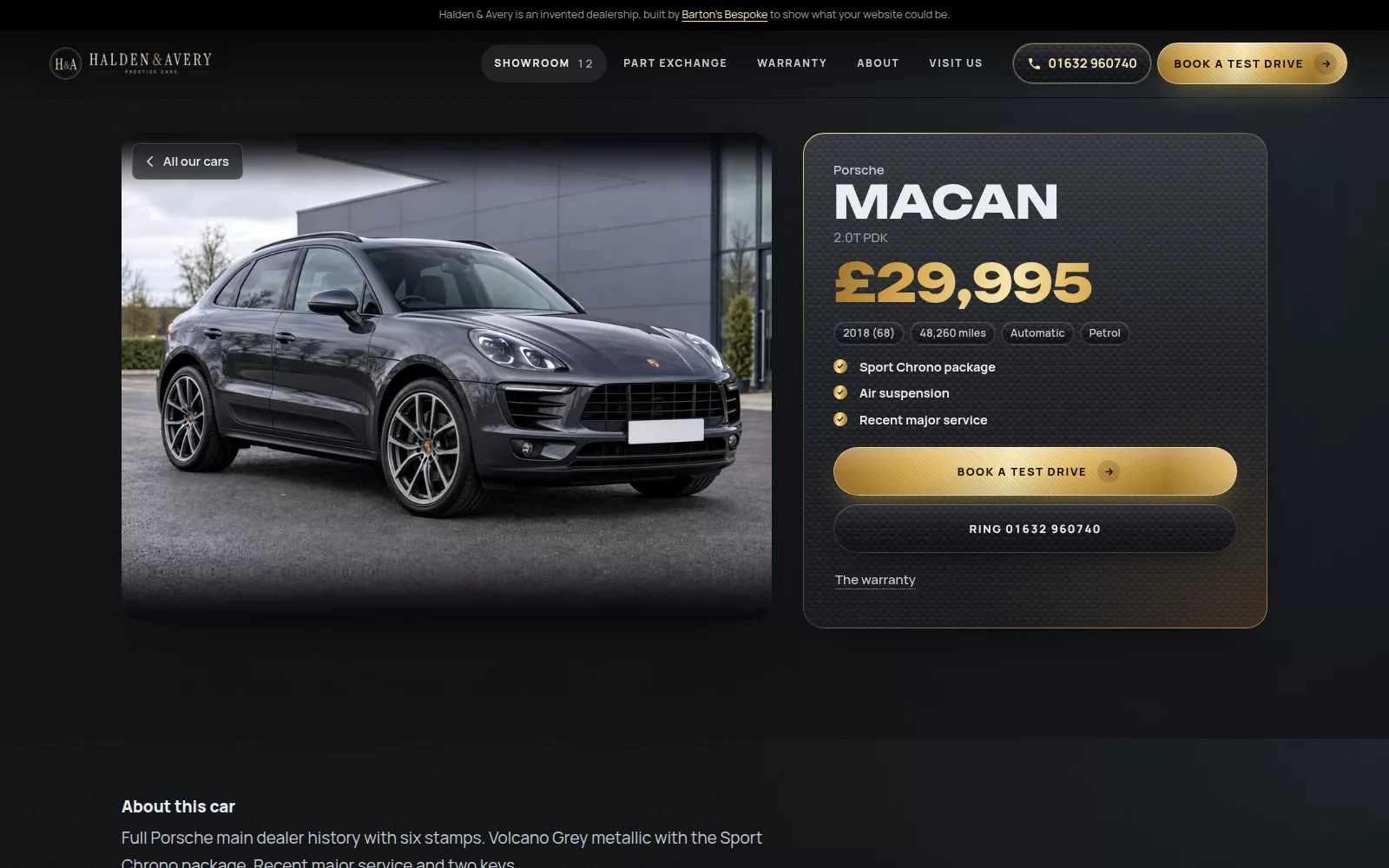
A useful vehicle page puts the information a buyer needs close to the next action. For example:
- Clear photographs and a straightforward description.
- The vehicle’s key specification and price.
- Relevant details such as service history, keys or previous keepers, where confirmed.
- A clear way to ask about the car or arrange a visit.
There is a practical benefit for your team, too. When the website page is built from the car’s stock record, you do not need to enter the same information separately in several places. Barton’s Bespoke’s car dealer website platform connects the vehicle record with the website listing and stock feeds, so an update made in the back office can carry through to the places that use that record.
The result is a listing with enough context to help a buyer decide whether to enquire. Fewer calls that begin with “Is it still available, and what spec is it?” More conversations that can move on to what the buyer wants to do next.
2. Let buyers start a part-exchange enquiry online
For some buyers, the next question is not only “What does this car cost?” but “What might my current car be worth against it?” A part-exchange tool gives them a way to start that conversation while they are viewing a vehicle, including outside your usual opening hours.
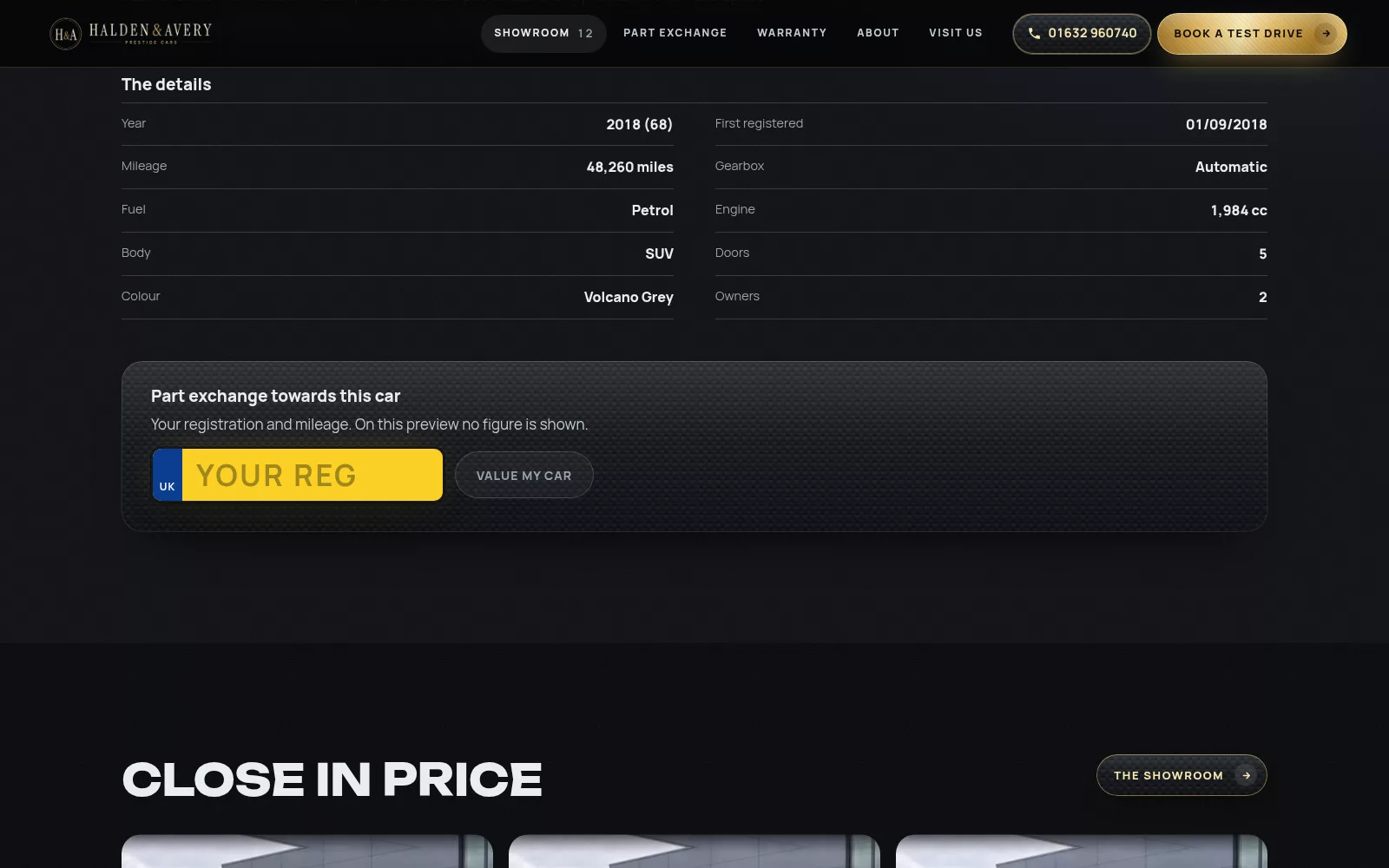
A typical flow is simple:
- The buyer enters their registration and mileage.
- They add their name and telephone number.
- They see a guide figure, where one of your bought valuations is left for the day, with the final figure subject to seeing the car. Otherwise they are told you will ring with one.
That last point is important. An online guide is a starting point, not a promise of a final purchase price. Condition and inspection still matter, and the final figure is yours once you have seen the car.
For your team, the enquiry can arrive with useful context already attached: the customer’s registration, mileage and contact details, along with the vehicle they were browsing. You have a clearer starting point for the follow-up, rather than needing to collect all the basics from scratch.
With Barton's Bespoke, the part-exchange valuation tool is built into the website, and each valuation arrives under Enquiries with the questions sent from your website. The tool’s limits and usage conditions are set out on the part-exchange valuations page. This is more than a contact form: it helps a buyer take a first step and gives you details to work with.
3. Put test-drive bookings straight into the diary
“Give us a call to arrange a test drive” works when someone is ready to pick up the phone. But a buyer might be browsing during a busy day, after work or at a time when the dealership is closed. If the only option is to leave a message, it is easy for the next step to get delayed.
An online booking option makes the action clearer. The buyer selects a vehicle and requests or chooses a suitable time. The booking can then land in the dealer’s diary, rather than starting life as a voicemail that someone has to transcribe and add later.
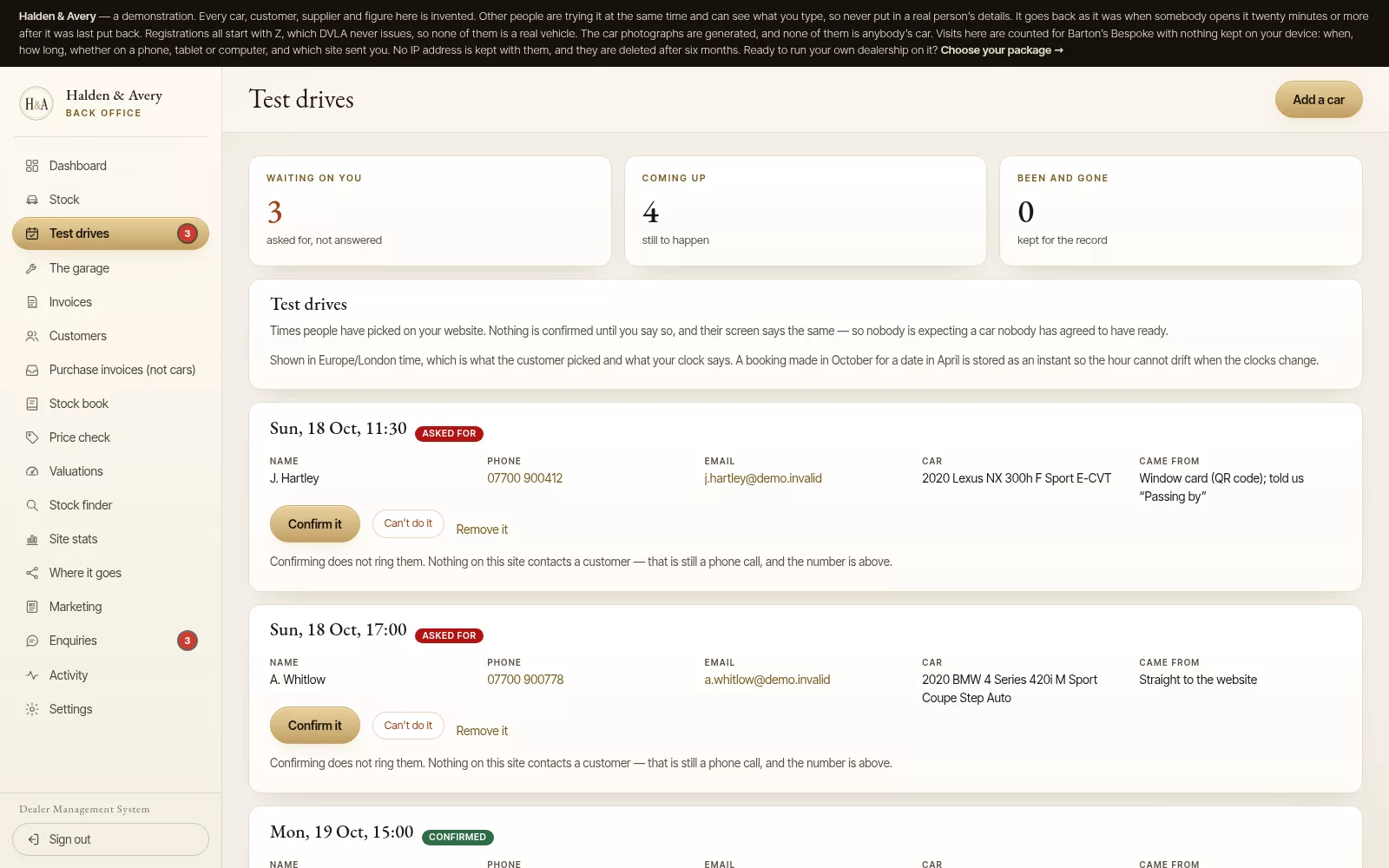
Connect the booking to the vehicle and the working diary, and your team can see which car the customer wants to drive and when they plan to come in. The buyer does not need to repeat those details when you follow up.
A booking does not remove the need for the dealer to prepare. You still need to confirm the details and make sure the vehicle is ready. But the request is already in a place your team uses to manage the day, making it easier to pick up and act on.
For an independent dealership, that can be a more practical route from interest to visit: the customer chooses the next step, and your team has the information needed to prepare for it.
4. Use AI live chat to answer stock questions
Buyers often have a specific question before they enquire. Is the car automatic? What mileage has it done? Is it still available? A live chat tool that can answer using the dealership’s current inventory can help with those first questions while your team is busy with customers on site.
The useful distinction is that the assistant should draw on the live stock information, rather than give a generic answer that could apply to any car. If the buyer asks about a vehicle, the response should relate to that listing and the information available for it.
Every Barton's Bespoke dealer website has a chat assistant that answers from the cars you have for sale right now: the year, price, mileage, gearbox and whether a car is still available. Anything it cannot know, such as a car’s history, finance or a part exchange figure, it hands to your team. Questions sent from the website arrive with a first reply drafted for you to finish.
AI is not a substitute for accurate vehicle records or a person making a decision. If a detail has not been confirmed in the stock record, it should not be treated as fact. Keep the information current, and make it easy for a buyer to ask your team when they need a more specific answer.
The aim is modest but useful: help a shopper get a clearer picture of the car, and give your team a better-informed enquiry to follow up.
One connected journey, not four separate tasks
These features work best when they share the same vehicle information. A buyer arrives on an individual car page, asks a question, requests a part-exchange guide or books a test drive. Each action should relate to the car they are viewing, rather than sending them back to a blank form or asking them to repeat details.
For the dealership, that connected flow reduces repeated entry. Registration and specification details are entered into the stock record once; the website listing and related processes can use that information. Your team still controls valuations, confirms appointments and reviews replies, but the routine steps do not need to start from zero each time.
That is the difference between a site that displays stock and one that supports your sales process. A grid helps people browse. The right interactive features make it easier to ask, value and book.
If you are comparing options for your dealership, explore the car dealer website platform or open the dealer demo to see how the features fit together. You can also check whether your area is available. No pressure to proceed, just a practical way to see what a bespoke website could include.
The pictures in this guide are illustrations, except where a caption says otherwise.