

Start small or buy the suite? How to decide your first move
How to choose your first move in motor trade software: find the bottleneck, test what connected means, and see when one module or the whole suite fits.
In this post
The right first step in choosing motor trade software is not to buy the longest feature list. It is to identify the part of your working day that needs fixing first, then check whether your choice can connect to the next part when you are ready.
For one business, that might mean replacing a paper workshop diary. For another, it might mean entering each car’s details once instead of updating stock, adverts and paperwork separately. You do not have to adopt everything at once. But it is worth making sure your first choice does not create a new island of information.
Two common false starts
Buying the whole suite before the team is ready
A full platform can look like the neatest answer: one system for the forecourt, workshop, diary and paperwork. But if the team still books jobs on paper, tracks leads in email and only uses the system to raise invoices, several modules may sit idle.
That is not a failure of the software. It is a sign that the rollout has run ahead of the routine. Before switching everything over, decide who will use each part, which task it replaces and how you will know the change is working.
Starting cheap, then stitching tools together
The opposite approach is to choose a focused tool and add others as needs appear. This can be sensible. The risk is that each new tool keeps its own customer, vehicle or job record. Staff then retype details, check which version is current, or pass information between systems by hand.
A small start works best when it is a connected first step, not a dead end. Ask whether a later module can use the same records, and what happens if you change the customer or vehicle details in one place.
Find the bottleneck first
Start with the work that causes the most repeated effort or avoidable uncertainty. Think about a normal week, not an ideal one.
- Admin time: Are you entering the same vehicle, customer or job details more than once?
- Lost enquiries: Do messages wait in inboxes, or is it unclear who is meant to reply?
- Workshop paperwork: Are bookings, job cards, supplier costs and invoices kept in separate places?
- Invoicing errors: Do figures need copying from an invoice into a stock book or another record?
- Handovers: Does a change in one record have to be passed on by phone, paper or memory?
Pick the one issue that happens often enough to justify a change. If several are linked, map how information moves between them before deciding whether to start with one module or more.

A five-task decision check
Take ten minutes with the people who do the work. Write down your five most repeated tasks, then check each one:
- What starts the task? A new registration, an online booking, a phone enquiry, a completed job?
- Where is the information entered? Note every system, spreadsheet, paper form or diary.
- Is any detail duplicated? Mark every time the same customer, vehicle, cost or appointment is typed again.
- What happens if a record changes? Would the change appear where it needs to, or would someone have to remember to update it?
- Which task causes the most friction? Choose the one that takes time, creates corrections or makes follow-up harder.
A useful clue is the answer to question four. If changing a vehicle record means separately fixing its advert, website listing and sales paperwork, you are not just choosing where to store details. You are choosing how work moves through the business.
What “connected” should mean
The word connected can mean different things. Ask a supplier to show you a real workflow rather than relying on a feature list.
For a dealer, a practical example might be:
- Enter a vehicle’s registration and confirm the details.
- Create the stock record from that information.
- Prepare an advert and review it before publishing.
- Send the listing to the website and any selected advertising feeds.
- When the car sells, use its existing record to prepare the sales paperwork.
The key test is whether one action leads into the next without re-keying the same facts. Automation should prepare routine work, not remove your oversight: you should still be able to check an advert, choose where a car is listed and confirm an invoice.
A connected workflow also needs clear boundaries. Ask which information is shared, what remains private, and whether you can export your records if your needs change. If a supplier describes two modules as connected, ask them to demonstrate exactly what updates and when.
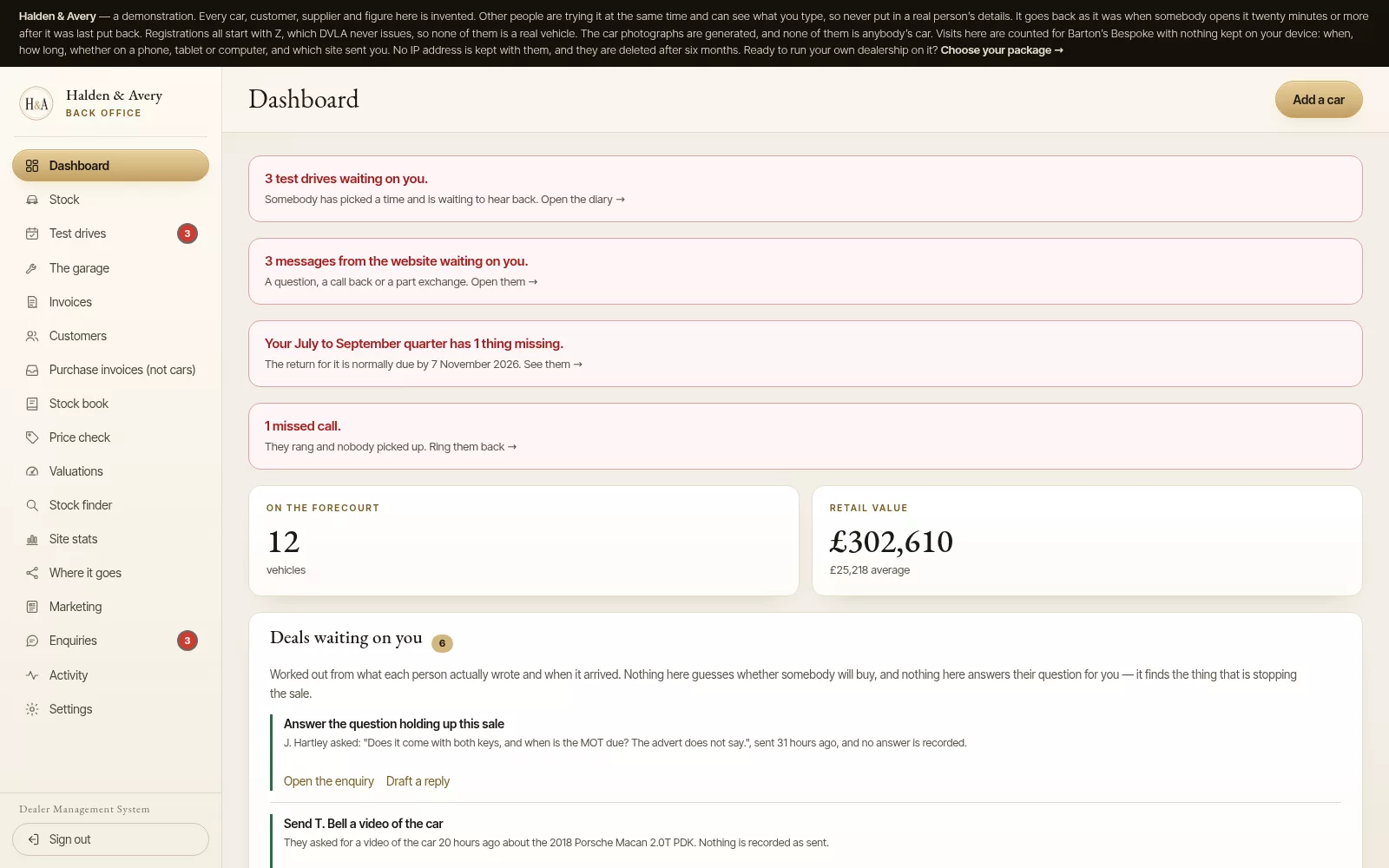
If workshop and forecourt work overlap
If you run both a garage and a forecourt, or send your stock to another workshop, check how repair and preparation costs are recorded.
When a job is completed on a car that is for sale, the cost of that work affects the amount you have invested in the vehicle. If the workshop invoice and the forecourt’s stock record are separate, somebody may need to copy the figure across. If the cost links to the vehicle’s record, it is easier to see the work alongside the other costs for that car.
That connection matters most when the same vehicles move between sales and service work. If your garage serves public customers and does not prepare forecourt stock, it may not be a priority for your first software decision.
When to begin with one module
Starting with one connected module is often reasonable when:
- You can name one clear bottleneck, such as workshop bookings or job paperwork.
- The rest of your processes are working well enough for now.
- The people who will use the system can learn it without changing every routine at once.
- The module solves a current problem, rather than a hypothetical future one.
- You have checked how it could connect to the next part of the business.
A standalone garage may only need workshop management first. A ramp diary, online booking, job cards, invoicing and reminders can address a specific set of tasks without requiring the business to adopt forecourt functions it does not use. Barton's Bespoke offers its workshop module as a standalone option or an add-on.

When the suite makes sense from day one
A broader starting point may be more practical if your main problem is the hand-off between departments or tasks. For example, sales, stock and the workshop may all need information about the same vehicle. If you are repeatedly copying costs, customer details or sale information between them, solving only one part could leave the main friction in place.
That does not mean every feature must be introduced on the first morning. You can choose a connected platform, then bring teams and workflows across in a sensible order. Start with the records and tasks that affect one another most; add other routines once the first stage is being used consistently.
Check the next step before you commit
Whichever route you choose, ask for a demonstration based on your own process. Use a real example, such as adding a car, booking it for preparation, recording the work and completing its sale. For a garage, follow a booking through to the job card and invoice.
Ask the supplier to show:
- Which details are entered once, and which still need manual input?
- What updates when a customer, vehicle or job changes?
- Can you review and edit work the system prepares?
- How do the modules you might need later share records?
- Can you download your information?
These questions keep the decision focused on day-to-day work, not on features you may never use.
If you are considering a bespoke dealer website as part of a connected setup, Barton's Bespoke includes its website build in the monthly price, with no upfront build fee. And one dealer to an area: while your agreement is active, Barton's Bespoke will not knowingly take on a second dealer whose forecourt is within twenty miles by road of yours. You can check whether your area is available without making a commitment.
A sensible first move
You do not need to buy everything just because your business may need more later. Nor should you accept a cheap first step without checking whether it can grow with you.
Write down the five tasks. Mark the duplicate entries. Notice what breaks when a record changes. Then choose the smallest connected change that fixes the real bottleneck, or choose a broader suite if the bottleneck is the connection between tasks.
A good first move is specific, manageable and useful now. It also leaves you with a clear next step, should your needs change.
The pictures in this guide are illustrations, except where a caption says otherwise.