

When the Wi-Fi drops, why offline-first software suits forecourt life
What a dealer management system that works offline keeps going when the internet drops, what still needs a connection, and the check after you synchronise.
In this post
A dealer’s working day does not stay at a desk. You might be walking a customer round a car, moving stock, noting a preparation cost or getting paperwork ready for a handover. If the internet connection drops, those jobs should not all have to wait.
That is the practical case for an offline-capable dealer management system. Barton's Bespoke includes a desktop app for Windows that carries on from a copy kept on the PC when the internet goes down. When the line is back you press Synchronise, and it says what went up.
It does not make every online task work offline. It does keep the day-to-day record keeping going.
Forecourt work rarely follows a desk schedule
A viewing can run long. A handover can take you away from the office. You might be checking a newly arrived car outside, or finishing the paperwork after hours when the connection is unreliable.
With a cloud-only tool, you generally need an internet connection to open it and save changes. That can be fine when you are at your desk with dependable broadband. It is less convenient when you need to record something there and then.
An offline-capable Windows application gives you another option: use the software on the computer with the application installed, even when it has no connection. What you do offline goes up when you press Synchronise once the line is back.
You can keep the work moving instead of relying on memory, or waiting until you are back at a connected desk to write it down.
What can you do offline?
Offline access is most useful for work that starts with information you already have. In Barton's Bespoke you can carry on with stock records, sales and job invoices, the stock book, the diary and customers. Invoices are raised and printed offline and keep their number. Anything that needs an outside service, such as a history check or a valuation, waits until you are connected.
A simple sequence might look like this:
- Record the work on the Windows computer. Update a car, raise an invoice or put something in the diary while the line is down.
- Carry on with the customer or vehicle. You do not need to stop just because the internet has dropped.
- Reconnect and press Synchronise. The result says how many went, what was set aside and why.
- Check the result. Confirm the records you changed are present before moving on to any online-dependent task.
It is a small change to the routine: record the detail when it is fresh, then check what went up when you are back online.
Keep one entry point for the work
A connected DMS can link vehicle records, sales paperwork and other back-office tasks so the same details do not need to be typed out repeatedly. Offline capability adds a practical layer to that workflow: the work can be recorded on the PC first, rather than waiting for the connection.
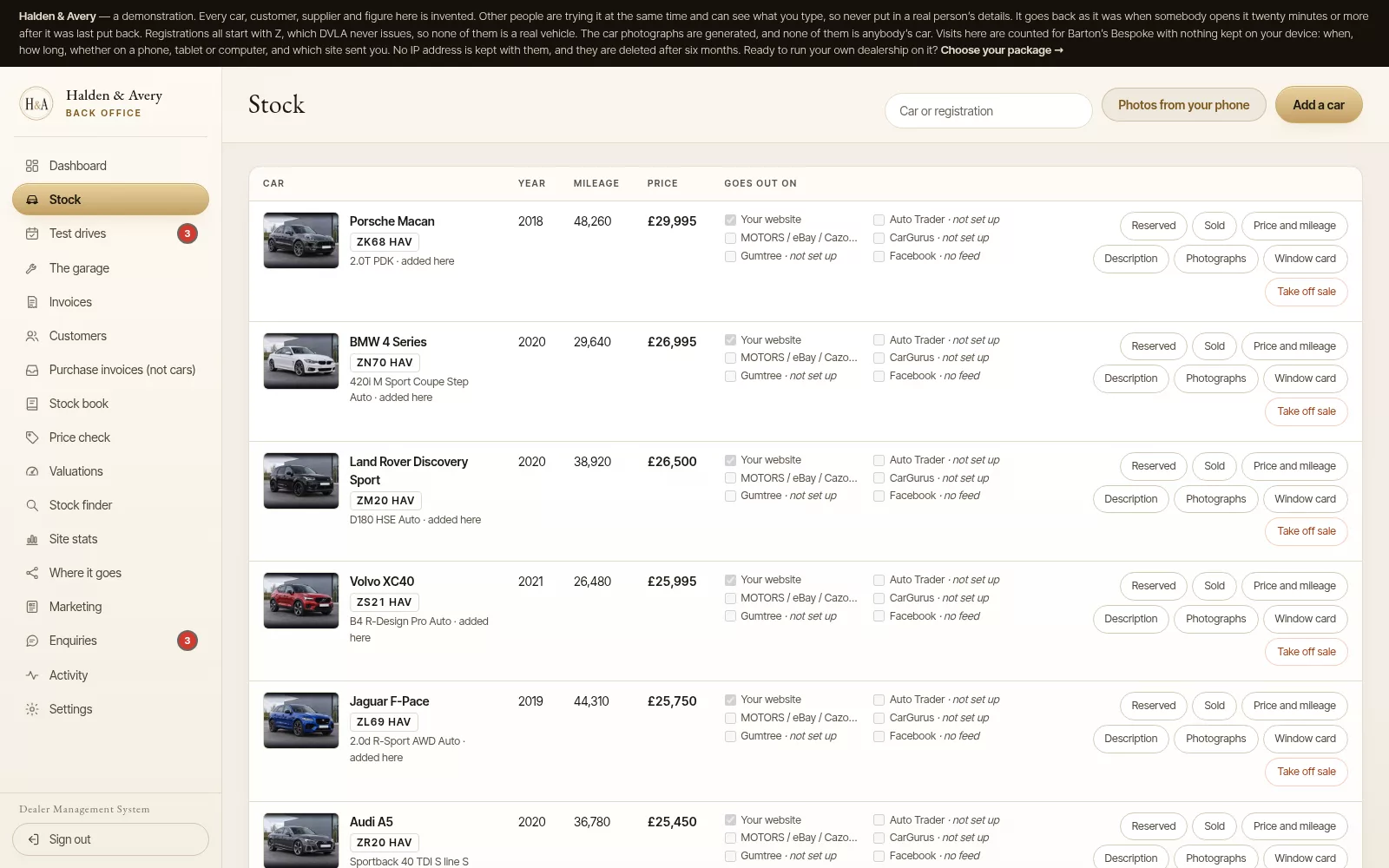
For example, if you have information to add to a car’s record while the connection is down, you can enter it in the desktop app and send it up with Synchronise once the line is back. That helps keep the record closer to the point where the work happened. It also reduces the chance that a quick note becomes a scrap of paper or a reminder you have to reconstruct later.
Barton's Bespoke’s dealer management system brings vehicle stock, invoicing, diary and related back-office work together. The offline desktop application is part of that setup; it is not a promise that every connected service works without internet access.
Raise the paperwork offline, then check it online
Sales paperwork deserves care. With the internet down, the desktop app still raises a sales invoice or a job invoice and prints it. The invoice keeps its number when it goes up, because each PC is given its own run of numbers for working offline.
Once you are back online and have pressed Synchronise, check the record and follow the normal process for completing the sale. Anything set aside is named, with the reason, so you can put it right.
The same applies to stock records. A local change can be useful while you are working away from the desk, but the practical habit is to verify it after reconnection rather than assume it has already appeared everywhere it needs to.
Barton's Bespoke explains how sales invoices feed into the stock book on its page about dealer invoicing and the stock book. For work recorded offline, check the record once it has gone up before relying on it for the next connected step.
What still needs a connection?
Offline-first does not mean internet-free. Online services still need an online connection. Portal feeds, website updates and tasks that rely on external services cannot be treated as completed while the computer is offline.
Offline, Write it for me gives you a plain description from what you have ticked, and history checks and valuations wait until you are connected. Nothing goes out to the portals while the computer is disconnected either. Pick that work up when you are back online.
This is a useful boundary to understand when choosing a DMS. Ask which tasks continue offline, which wait for reconnection and what you should check before moving on. A clear answer is more helpful than a broad claim that a product “works offline”.
For example, vehicle stock feeds explain how stock is sent to connected advertising channels. That is a different kind of work from changing a vehicle record on the PC: the feeds depend on a connection to reach those channels.
A quick sync check is part of the routine
When you are back online, press Synchronise and take a moment to confirm what went up before relying on it elsewhere. It is a simple check, especially after a period without a connection.
A sensible routine is:
- Reconnect the Windows computer.
- Press Synchronise and read what it says went up, and anything set aside.
- Reopen the records you changed and check the updates are present.
- Complete any work that needs online access.
- Review AI-generated or portal-facing content before it is used.
This does not need to become a lengthy admin job. It is a brief handover between working offline and using connected features again. If a record has not updated as expected, pause and resolve that before treating the connected record as current.
Is an offline-capable DMS a fit for your dealership?
Consider how often you need to record work away from a reliable connection, and which tasks you would want to keep moving. If the answer includes stock records, invoices or the diary, an offline-capable Windows application may fit your routine better than a tool that depends on a live connection for every step.
It is also worth asking how the product handles reconnection and what remains under your control. With Barton's Bespoke, the desktop app records the work offline and sends it up when you press Synchronise. Online-dependent work still waits, and AI or portal-facing content remains yours to review.
You can explore the dealer management system or open the dealer demonstration, which uses invented dealership and vehicle details. If you would prefer to talk through your working pattern first, you can request a 15-minute walkthrough.
The pictures in this guide are illustrations, except where a caption says otherwise.